Introduction
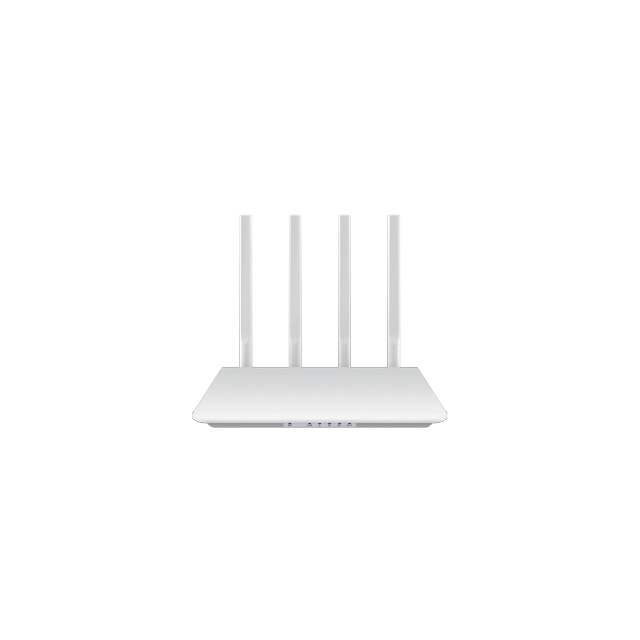
Your Modem Router sits at the center of your digital life. It connects laptops, phones, and smart devices to the internet, and every login, message, and online request passes through it. Because of this role, cybercriminals often target routers first. If attackers gain access, they may monitor traffic, redirect connections, or compromise connected devices. Many users overlook router security, leaving networks exposed to hidden risks. In this guide, you will learn how to secure your Modem Router from cyber threats using practical settings and reliable security practices.
Why Modem Router Security Matters in Today’s Connected Environment
The Modem Router as the Entry Point to Your Network
A Modem Router functions as the gateway between your local devices and the global internet. All connected devices rely on it to send and receive data. This includes laptops, smartphones, smart TVs, printers, and many IoT devices. Because all network traffic flows through the router, attackers often attempt to compromise it first. Once access is gained, they may observe data activity or redirect connections. Protecting the router therefore protects every device behind it and strengthens the entire network environment.
Growing Cyber Threats Targeting Home and Office Networks
Cyber threats against networks continue to increase each year. Hackers use automated tools to scan for weak passwords, outdated firmware, or open services on routers. Malware campaigns also recruit routers into botnets, allowing attackers to control thousands of compromised devices remotely. These botnets may launch distributed attacks or distribute spam. As more homes and offices adopt connected devices, the attack surface grows. Securing a Modem Router helps prevent these threats from reaching other devices.
Risks of Leaving a Modem Router Unprotected
When a Modem Router lacks proper security controls, several measurable risks emerge across network traffic, device integrity, and data privacy. Understanding these risks in technical terms helps administrators recognize early warning signs and apply appropriate mitigation strategies before serious compromise occurs.
| Risk Category | Attack Method | Technical Mechanism | Observable Indicators | Typical Technical Data / Metrics | Real-World Impact | Security Considerations |
| Credential Theft | Packet sniffing on unsecured Wi-Fi | Attackers capture wireless packets using tools like Wireshark | Unexpected login attempts or account alerts | Wi-Fi sniffing possible within ~30–100 meters depending on signal strength | Compromised email, banking, or work accounts | Use WPA3 or WPA2-AES encryption |
| DNS Manipulation | DNS hijacking | Router DNS settings altered to redirect traffic to malicious servers | Users redirected to unfamiliar websites | Default DNS ports: UDP/TCP 53 | Phishing sites, malware downloads | Use trusted DNS providers such as Cloudflare (1.1.1.1) or Google (8.8.8.8) |
| Botnet Recruitment | Malware exploitation of firmware vulnerabilities | Malware installs command-and-control communication | High outbound traffic or unusual network spikes | Botnets often generate traffic bursts exceeding 10–100 Mbps | Router used for DDoS attacks or spam distribution | Maintain updated router firmware |
| Unauthorized Network Access | Password brute-force or credential guessing | Automated tools attempt thousands of password combinations | Unknown devices appearing in router device list | Typical brute-force tools test hundreds of passwords per minute | Bandwidth theft or network intrusion | Use passwords ≥12 characters |
| Data Interception | Man-in-the-Middle attack | Attacker intercepts communication between device and router | HTTPS warnings or certificate errors | MITM attacks often exploit open or weak encryption networks | Sensitive data exposure | Enable HTTPS, VPN, and secure Wi-Fi encryption |
| Malware Distribution | Compromised router modifies traffic | Router injects malicious scripts into HTTP responses | Unexpected pop-ups or forced downloads | Malicious scripts often delivered through port 80 traffic | System infection across multiple devices | Use router firewall and DNS filtering |
| Network Instability | Unauthorized bandwidth usage | External users consume network resources | Slow internet speeds or high latency | Typical home broadband: 50–1000 Mbps capacity | Reduced performance for legitimate users | Monitor device connections regularly |
Tip:If network speed suddenly drops or unknown devices appear in the router dashboard, immediately review DNS settings, update firmware, and change Wi-Fi credentials to restore full Modem Router security.
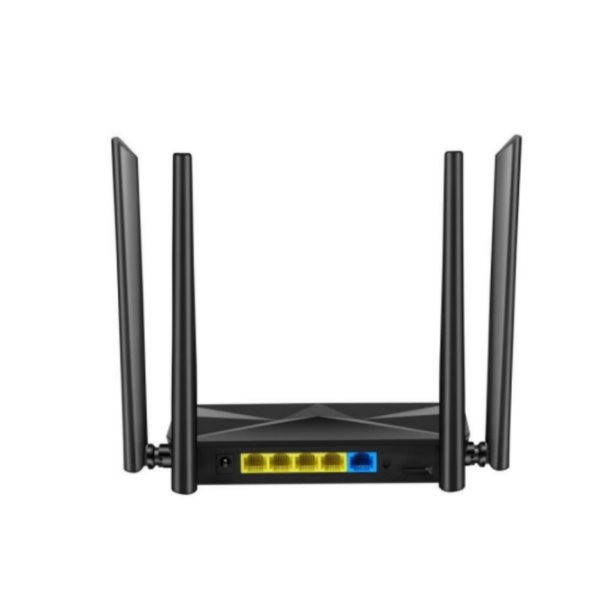
Essential Steps to Secure Your Modem Router from Cyber Threats
Change Default Login Credentials and Wi-Fi Passwords
Most routers ship with default login credentials. These are easy to find online and often remain unchanged by users. Attackers frequently exploit them to gain administrative access. Changing both the admin password and Wi-Fi password immediately after setup is one of the most effective security steps. Strong passwords contain letters, numbers, and symbols. They should also be unique from other account passwords. When a Modem Router uses strong credentials, unauthorized access becomes far more difficult.
Enable WPA3 or WPA2 Encryption on Your Modem Router
Wi-Fi encryption protects the data transmitted between devices and the Modem Router. Without encryption, attackers nearby could intercept traffic or attempt unauthorized connections. Modern routers support WPA3 encryption, which offers stronger authentication and improved protection against password-guessing attacks. WPA2 with AES encryption also provides strong security for many networks. Enabling these protocols ensures that data traveling across the network remains protected from interception.
Keep Your Modem Router Firmware Updated
Firmware controls the internal operation of a Modem Router. Manufacturers regularly release firmware updates to fix vulnerabilities and strengthen security features. Attackers often exploit routers running outdated software. Checking for firmware updates ensures the router receives the latest protections. Many modern routers allow automatic updates, which simplify maintenance and reduce security risks. Regular updates help ensure the device stays resilient against newly discovered cyber threats.
Disable Remote Management and Unnecessary Services
Some routers include features that allow remote configuration from outside the local network. While convenient, these services may expose administrative interfaces to the internet. Disabling remote management prevents attackers from attempting remote login attacks. Additional services such as unused network tools or automatic port opening should also remain disabled. A simplified configuration reduces the potential entry points attackers can exploit.
Strengthening Wireless Network Security on Your Modem Router
Create a Strong and Unique Wi-Fi Passphrase
Security researchers recommend Wi-Fi passphrases of at least 12–16 characters to resist dictionary and brute-force attacks. A strong passphrase should combine uppercase letters, lowercase letters, numbers, and symbols while avoiding predictable patterns. Password entropy increases significantly when random word combinations are used instead of short phrases. For better security management, administrators can rotate the Wi-Fi passphrase every 3–6 months and immediately update it after adding or removing devices from the Modem Router network.
Change the Default SSID to Prevent Targeted Attacks
Default SSID names often include the router brand or model, which may reveal firmware versions or known vulnerabilities. Changing the SSID helps conceal these details and reduces the chance of targeted exploitation. Security specialists recommend using neutral network names that reveal no personal information or location details. Some Modem Router systems also support multiple SSIDs for different device groups, improving network segmentation and making traffic management more organized.
Hide or Limit SSID Broadcasting for Extra Protection
Disabling SSID broadcast prevents the network name from appearing in standard Wi-Fi scans, requiring users to manually enter the SSID and password to connect. This method does not replace encryption but adds another barrier against opportunistic access attempts. In professional environments, hidden SSIDs are often combined with MAC filtering and WPA3 encryption for layered protection. When used with a properly configured Modem Router, these combined measures significantly strengthen wireless access control.
Using Advanced Features to Improve Modem Router Security
Enable Guest Networks for Visitors and IoT Devices
Many modern Modem Router systems support a dedicated guest SSID that operates on a separate subnet from the primary network. This configuration prevents guest devices from communicating directly with internal computers or storage systems. Administrators can also set bandwidth limits, connection time limits, and automatic guest network shutdown schedules. For IoT devices, placing them on a guest or secondary network helps reduce lateral movement if one device becomes compromised.
Implement MAC Address Filtering and Access Control
MAC address filtering allows the Modem Router to verify devices before granting network access. Administrators can build an allow-list containing the MAC addresses of approved devices such as laptops, phones, and workstations. Some routers also provide device naming and connection history, which helps identify unusual access patterns. Combining MAC filtering with strong Wi-Fi authentication creates layered protection that reduces the chance of unauthorized devices connecting to the network.
Use VPN and Secure DNS Services with Your Modem Router
Configuring a VPN at the Modem Router level encrypts outbound internet traffic for all connected devices without installing separate applications. This approach is useful for devices that cannot run VPN software, such as smart TVs or IoT sensors. Secure DNS providers also block domains linked to malware, phishing, or command-and-control servers. When both technologies operate together, they enhance privacy, reduce malicious traffic exposure, and strengthen the overall security posture of the network.
Monitoring and Managing Devices Connected to Your Modem Router
Regularly Review Devices Connected to the Network
Modern Modem Router dashboards often display device names, IP addresses, and connection types. Reviewing this information weekly helps detect unfamiliar devices quickly. Pay attention to unusual device names, unexpected MAC addresses, or connections appearing at unusual hours. Many routers also allow notification alerts when new devices join the network. Enabling these alerts makes monitoring easier and provides early warning of unauthorized access attempts before they cause security issues.
Remove or Block Unauthorized Devices from the Modem Router
If an unknown device connects to the Modem Router, administrators should disconnect it through the router control panel and add its MAC address to the block list. After removal, update the Wi-Fi password and reconnect trusted devices using the new credentials. Some routers also support access control lists or device approval features, which require manual authorization before a new device can join the network. These controls strengthen long-term network access management.
Segment Smart Home Devices to Improve Network Security
Smart home devices such as cameras, speakers, and sensors often run lightweight software with limited security features. Creating a dedicated IoT network on the Modem Router isolates these devices from laptops, phones, and work systems. This separation prevents compromised devices from reaching sensitive files or internal services. Many routers support VLAN or guest network segmentation, which organizes devices into separate traffic groups while still allowing secure internet access for each category.
Best Maintenance Practices for Long-Term Modem Router Security
Reboot Your Modem Router Periodically
Many routers run continuously for months, which can cause memory fragmentation, stalled background processes, or unstable network sessions. Restarting the Modem Router clears cached tables such as NAT sessions and DHCP leases, allowing the system to rebuild connections cleanly. Many network professionals recommend rebooting once every 30–60 days to maintain stability. Some modern routers also allow scheduled reboots during low-traffic hours, such as early morning, which minimizes disruption while maintaining optimal network performance.
Enable Automatic Security Updates When Available
Firmware updates often include critical security patches that address vulnerabilities discovered after the router is released. When automatic updates are enabled, the Modem Router downloads and installs verified firmware directly from the manufacturer’s server. This helps prevent attacks that exploit outdated software. In enterprise and advanced home networks, updates are typically scheduled during off-peak hours to avoid service interruptions. Keeping automatic updates enabled ensures the router remains aligned with current encryption standards and network security protections.
Replace Outdated Modem Router Hardware When Necessary
Modern cybersecurity standards rely heavily on router hardware capabilities. When replacing an older Modem Router, it is important to evaluate security protocols, firmware support cycles, wireless standards, and management features. The comparison below highlights key technical indicators that help determine whether an upgrade meaningfully improves network security and reliability.
| Category | Technical Aspect | Recommended Modern Specification | Typical Older Router Specification | Practical Application | Notes / Implementation Considerations |
| Wireless Security Protocol | Encryption Standard | WPA3-Personal (SAE authentication) | WPA2 or earlier (WEP/WPA) | Protects wireless traffic against brute-force attacks and credential cracking | WPA3 became mandatory for Wi-Fi CERTIFIED devices in 2020 (Wi-Fi Alliance) |
| Wireless Standard | Wi-Fi Technology | Wi-Fi 6 (802.11ax) or Wi-Fi 7 (802.11be emerging) | Wi-Fi 4 (802.11n) or Wi-Fi 5 (802.11ac) | Higher capacity for multiple devices and improved security mechanisms | Wi-Fi 6 supports OFDMA and improved encryption handshakes |
| Maximum Throughput | Wireless Data Rate | Wi-Fi 6: up to 9.6 Gbps theoretical | Wi-Fi 4: up to 600 Mbps | Supports modern workloads like 4K streaming and remote work systems | Real-world speeds are lower but capacity improvement remains significant |
| Firmware Lifecycle | Vendor Security Updates | 5–7 years typical firmware support window | Often discontinued after 2–3 years | Ensures continuous patching of newly discovered vulnerabilities | Check manufacturer firmware policy before purchase |
| Processing Hardware | Router CPU | Multi-core ARM processors (1–2 GHz typical) | Single-core CPU below 800 MHz | Handles encryption, VPN traffic, and multiple connected devices efficiently | Important for networks with many IoT devices |
| Network Ports | Ethernet Interface | Gigabit Ethernet (1000 Mbps) or 2.5GbE | Fast Ethernet (100 Mbps) | Improves wired security appliances and NAS device connectivity | 2.5GbE becoming common in enterprise-grade routers |
| Device Capacity | Supported Concurrent Devices | 30–100+ devices depending on router class | 10–20 devices typical | Essential for smart homes and offices with IoT equipment | Wi-Fi 6 routers manage high device density better |
| Network Segmentation | Guest / IoT Networks | Dedicated guest SSID and IoT isolation VLAN support | Single network only | Separates untrusted devices from main network | Important for smart home security |
| Automatic Updates | Firmware Management | Automatic firmware update support | Manual updates only | Reduces risk of unpatched vulnerabilities | Often configurable via router mobile apps |
| Security Monitoring | Threat Detection Tools | Integrated network threat monitoring or DNS filtering | No built-in threat intelligence | Helps detect malware communication and suspicious connections | Often integrated with security suites or cloud services |
Tip:Before upgrading a Modem Router, check the manufacturer’s firmware support page. Devices that still receive security updates often remain safe, while models reaching end-of-life may expose networks to unpatched vulnerabilities.
Conclusion
A secure Modem Router is the foundation of a safe network environment. Because it connects every device to the internet, protecting it also protects your data and digital activities. Using strong passwords, modern encryption, firmware updates, and regular device monitoring can greatly reduce cyber risks. Advanced features such as guest networks, VPN support, and access control further strengthen network protection. Zhengzhou LEHENG Electronic Technology Co., Ltd. provides reliable modem router products designed for stable connectivity, strong security performance, and efficient network management for modern users.
FAQ
Q: Why is securing a Modem Router important?
A: A secure Modem Router protects data, devices, and internet traffic from hackers.
Q: How do I secure my Modem Router quickly?
A: Change passwords, enable WPA3 encryption, update Modem Router firmware, and activate the firewall.
Q: What password length is best for a Modem Router?
A: Use a Modem Router Wi-Fi passphrase with at least 12–16 characters.
Q: Can outdated Modem Router firmware cause risks?
A: Yes. Old Modem Router firmware may expose vulnerabilities attackers exploit.
Q: Should I create a guest network on my Modem Router?
A: Yes. Guest networks isolate visitor devices from your main Modem Router network.
Q: How often should I update a Modem Router?
A: Check Modem Router firmware updates every three months for better security.


 External GPS Antenna
  Ceramic antenna
  Internal GPS Antenna
  Surveying Antenna
 Magnet Antenna
  Patch Antenna
  Rubber Antenna
  Screw Antenna
  Spring Antenna
  Other Indoor Coverage Antenna&outdoor Wlan Antenna
 2.4G Antenna
  5.8G Antenna

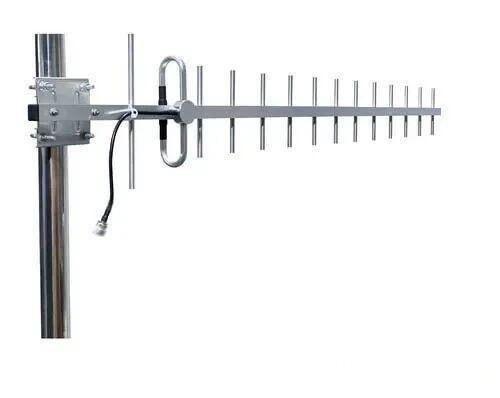 Outdoor Yagi TV Antenna


 Ceiling mount antenna
  Wall mount panel antenna
 Fiberglass Antenna
  Panel Antenna
  Parabolic Antenna
  Yagi Antenna


