Introduction
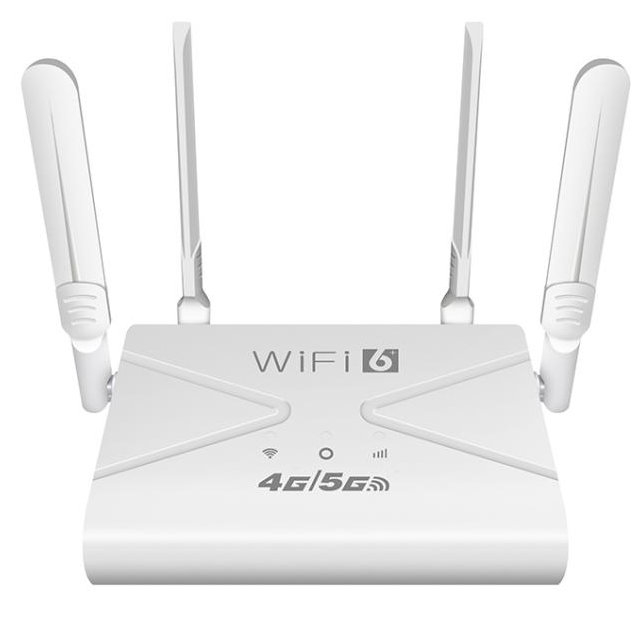
Outdoor networks often depend on a Modem Router or outdoor CPE router to deliver internet access in farms, construction sites, warehouses, and remote facilities. Yet weak signal strength can occur due to distance from cellular towers, terrain obstacles, or wireless interference. Improving signal performance requires more than simply installing a router. In this guide, you will learn practical methods to boost the signal strength of an outdoor Modem Router, including better placement strategies, antenna upgrades, configuration optimization, and network expansion techniques.
Key Methods To Boost Signal Strength of an Outdoor CPE Router
Install the Outdoor CPE Router at a Higher Location
Height has a direct impact on wireless signal reception. When an outdoor CPE or Modem Router is installed close to the ground, nearby obstacles such as vehicles, trees, buildings, or industrial equipment can interrupt the signal path. Mounting the router on rooftops, towers, or poles helps reduce these obstructions and creates a clearer path for signal transmission. A higher installation position also allows the router to receive signals from a wider range of directions, which improves network stability and range in large outdoor environments.
Maintain a Clear Line-of-Sight Toward the Base Station
Wireless communication performs best when the router and the network tower have a direct and unobstructed signal path. Physical objects like metal structures, thick walls, or dense vegetation can weaken signal transmission and reduce network efficiency. When deploying a Modem Router outdoors, evaluating the surrounding environment and positioning the device toward the nearest cellular tower helps ensure stronger signal reception and stable connectivity. Even small adjustments in orientation or placement can produce noticeable improvements in signal quality.
Precisely Align the Router Antenna
Antenna direction strongly influences signal reception and network performance. Outdoor CPE routers usually include adjustable antennas designed to capture signals from specific directions. Properly aligning the antenna toward the service provider’s tower improves signal gain and reduces transmission errors. During installation, technicians often adjust antenna angles while observing signal metrics in the router dashboard. Small directional changes can result in measurable improvements in connection stability and download speeds.
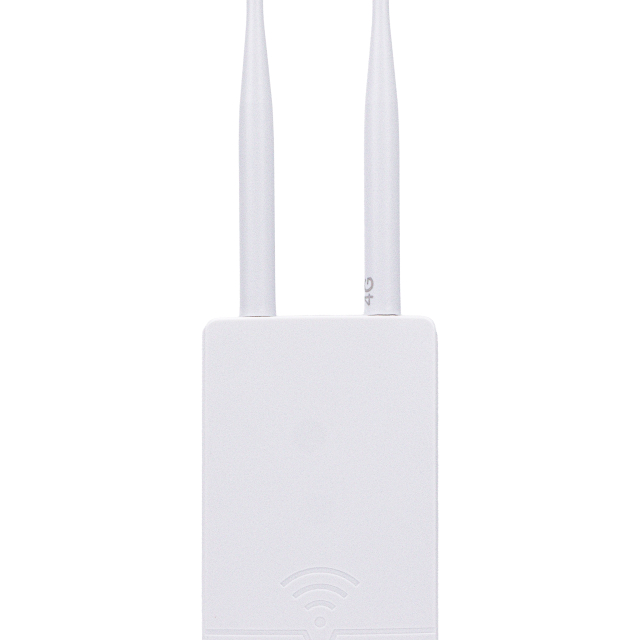
Upgrade Antennas To Improve Outdoor CPE Router Performance
Replace Standard Antennas With High-Gain Directional Antennas
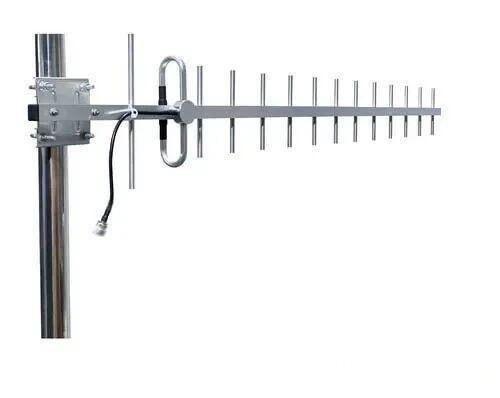
Standard antennas offer acceptable performance for moderate distances, but large outdoor environments often require stronger signal capture. High-gain directional antennas such as Yagi or parabolic antennas concentrate wireless energy in a specific direction, allowing signals to travel farther and more efficiently. When connected to a Modem Router, these antennas can extend connectivity across farms, campuses, construction zones, or industrial facilities where long-distance communication is required.
Choose the Right Antenna Type for Outdoor Networks
Different antenna designs serve different coverage needs. Omnidirectional antennas broadcast signals in every direction and are useful for general coverage around a central router. Directional antennas concentrate signals in one direction, increasing range and signal intensity over long distances. When an outdoor CPE or Modem Router must connect to a distant base station, directional antennas often provide stronger and more consistent network performance.
Reduce Signal Loss With High-Quality Antenna Cables
Antenna cables play a decisive role in maintaining signal integrity between the antenna and the Modem Router. Choosing appropriate cable types, lengths, and connectors helps minimize attenuation and interference. The following technical parameters guide installers in selecting suitable RF cables for outdoor networking systems.
| Cable Type | Typical Frequency Range | Signal Loss (Approx.) | Maximum Recommended Length | Shielding Structure | Common Connector Types | Typical Application | Installation Notes |
| RG-58 Coaxial Cable | Up to ~1 GHz | ~0.64 dB per meter at 900 MHz | ≤10 meters | Single shield braid | SMA, BNC | Short indoor antenna links | Higher attenuation makes it less suitable for long outdoor runs |
| RG-213 Coaxial Cable | Up to ~3 GHz | ~0.21 dB per meter at 900 MHz | ≤20 meters | Double shield braid | N-Type, UHF | Medium-distance antenna connections | Thicker diameter improves shielding but requires careful routing |
| LMR-240 Low-Loss Cable | Up to ~6 GHz | ~0.16 dB per meter at 900 MHz | ≤25 meters | Foil + braided shield | SMA, N-Type | WiFi routers and LTE Modem Router setups | Flexible design allows easier installation in outdoor systems |
| LMR-400 Low-Loss Cable | Up to ~6 GHz | ~0.11 dB per meter at 900 MHz | ≤50 meters | Foil + braided shield | N-Type, SMA | Long-distance antenna installations | Commonly used for outdoor CPE antennas due to low attenuation |
| LMR-600 Low-Loss Cable | Up to ~6 GHz | ~0.07 dB per meter at 900 MHz | ≤70 meters | Foil + braided shield | N-Type | High-performance cellular antenna systems | Larger diameter requires stronger mounting support |
| N-Type RF Connector | 0–11 GHz | Very low insertion loss (<0.15 dB typical) | Not applicable | Weather-resistant metal housing | N-Type male/female | Outdoor cellular antennas | Excellent durability and moisture resistance |
| SMA RF Connector | 0–18 GHz | Low insertion loss (<0.2 dB typical) | Not applicable | Precision threaded connector | SMA male/female | Compact routers and antennas | Suitable for smaller Modem Router antenna ports |
Tip:Keeping RF cable runs as short as possible significantly improves signal strength. Even low-loss cables can accumulate noticeable attenuation over long distances, so installers often mount the antenna closer to the router to maintain optimal signal levels.
Optimize Router Configuration for Stronger Signal
Monitor Signal Quality Metrics in the Router Interface
Most outdoor CPE routers provide a diagnostic dashboard that displays cellular metrics in real time. RSRP reflects signal strength and typically ranges from −70 dBm (excellent) to −110 dBm (weak). SINR measures signal clarity and should ideally remain above 13 dB for stable data transmission. RSRQ indicates network quality and congestion. By comparing these values while adjusting antenna angle or router placement, network engineers can determine the optimal installation point and maximize the performance of the Modem Router in different outdoor environments.
Lock the Router to Optimal Network Bands
Cellular networks operate across several frequency bands such as LTE Band 3 (1800 MHz), Band 7 (2600 MHz), or Band 20 (800 MHz). Lower frequencies typically travel farther and penetrate obstacles more effectively, while higher frequencies support faster data rates. Locking the router to the band that delivers the best signal strength can improve throughput and reduce connection instability. Many professional routers allow manual band selection through the management interface, helping administrators optimize Modem Router performance according to local network coverage.
Update Firmware for Better Network Performance
Router firmware controls radio functions, network protocols, and system stability. Updated firmware often includes improvements for signal handling algorithms, carrier aggregation support, and compatibility with newer LTE or 5G standards. Installing updates also strengthens security and fixes performance bugs that may affect connectivity. Administrators should check the manufacturer’s update schedule and maintain firmware versions regularly. A properly updated Modem Router can process wireless signals more efficiently and maintain reliable connections under changing network conditions.
Improve Coverage With Network Expansion Solutions
Use Outdoor WiFi Extenders or Access Points
Outdoor WiFi extenders and access points expand wireless coverage by retransmitting signals from the primary router. Enterprise outdoor APs often support transmission power up to 20–30 dBm and use high-gain antennas between 5–12 dBi, enabling coverage distances of 100–300 meters in open environments. When installing extenders with a Modem Router, they should be positioned where the original signal remains strong, typically around −65 dBm to −70 dBm. Proper placement ensures reliable signal relay and avoids coverage gaps across large outdoor areas.
Deploy a Mesh Router System
Mesh networking distributes wireless coverage using multiple interconnected nodes that communicate through dedicated backhaul channels. Many mesh systems support WiFi 6 (802.11ax) technology with theoretical speeds exceeding 1.2 Gbps on the 5 GHz band. Nodes are typically installed 15–30 meters apart depending on environmental obstacles. When connected to a central Modem Router, mesh nodes dynamically route traffic through the strongest available path, improving network resilience and maintaining stable connectivity across complex outdoor layouts.
Integrate Powerline or Wired Backhaul Connections
Wired backhaul links significantly improve network reliability by reducing wireless congestion between devices. Gigabit Ethernet cables (Cat5e or Cat6) can support speeds up to 1 Gbps across distances of 100 meters without signal loss. In locations where new cabling is difficult, powerline adapters can transmit network data through electrical wiring at speeds ranging from 500 Mbps to 2 Gbps, depending on the standard. Integrating these connections with a Modem Router ensures stable data transport between access points and routers in large outdoor networks.
Reduce Interference Around Your Outdoor CPE Router
Keep the Router Away From Electronic Interference
Electromagnetic interference (EMI) often comes from electrical motors, power transformers, welding equipment, and radio transmitters commonly found in industrial environments. These devices emit radio frequency noise that overlaps with wireless communication bands, reducing signal clarity and data throughput. Installing the outdoor Modem Router at least 2–3 meters away from high-power electrical equipment helps reduce EMI exposure. Shielded network cables and grounded mounting structures can further minimize interference, ensuring the router maintains stable wireless transmission and consistent connectivity in electrically noisy environments.
Select the Optimal Wireless Channel
Wireless performance improves when routers operate on channels with minimal interference. In the 2.4 GHz band, channels 1, 6, and 11 are widely recommended because they do not overlap with each other. Using these channels reduces signal collision from nearby networks. Many enterprise routers allow administrators to scan surrounding networks and automatically select the least congested channel. When deploying a Modem Router in busy areas such as office complexes or industrial parks, periodic channel scanning ensures the router continues operating on the most efficient frequency.
Optimize WiFi Band Selection
Different frequency bands offer different transmission characteristics. The 2.4 GHz band provides wider coverage and stronger penetration through walls, typically reaching 50–90 meters outdoors under open conditions. The 5 GHz band supports higher data throughput and lower latency but usually covers 25–45 meters due to higher signal attenuation. Selecting the proper band based on installation distance and surrounding obstacles allows the Modem Router to balance speed and coverage, delivering more reliable connectivity across outdoor network deployments.
Enhance Signal Stability With Additional Hardware
Install External Antenna Systems
Selecting the correct external antenna type improves long-distance signal capture. Directional antennas such as Yagi, panel, or parabolic models concentrate radio energy toward the base station and typically provide gains between 8 dBi and 24 dBi, depending on design. Installers usually mount antennas on poles 3–10 meters above ground to reduce ground reflection and obstacles. Low-loss coaxial cables such as LMR-400 are often used to minimize attenuation between the antenna and the Modem Router, ensuring the improved signal strength is preserved when entering the router.
Use Signal Boosters for Long-Distance Connectivity
Cellular signal boosters operate by receiving weak signals through an outdoor donor antenna, amplifying them, and retransmitting the strengthened signal to connected devices. Typical commercial boosters provide amplification of 50–70 dB, which significantly improves signal strength in rural or remote areas. Proper installation requires adequate separation between outdoor and indoor antennas to prevent feedback interference. When paired with a Modem Router, boosters help maintain stronger uplink and downlink communication with distant cellular towers across long outdoor distances.
Deploy Outdoor-Grade Networking Equipment
Outdoor networking hardware must withstand environmental stress while maintaining stable wireless transmission. Industrial routers and antennas commonly feature IP65 or IP67 protection ratings to resist water, dust, and wind exposure. Many devices also operate within wide temperature ranges such as −30°C to 70°C, making them suitable for industrial environments. UV-resistant enclosures and shielded Ethernet cables further protect the system from weather and electrical interference. Using rugged outdoor equipment ensures the Modem Router maintains reliable performance throughout the year.
Best Placement Strategies for Outdoor CPE Router Deployment
Position the Router Facing the Service Tower
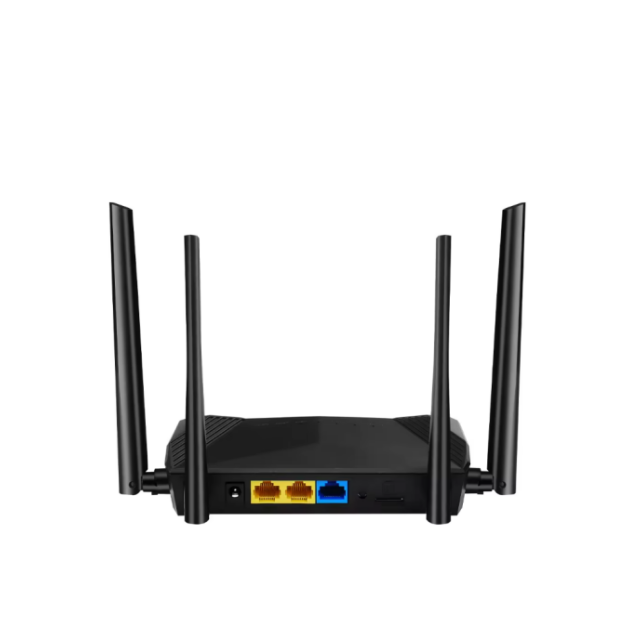
Correct router orientation improves radio signal capture and transmission efficiency. During installation, determine the direction of the nearest cellular base station using network coverage maps or mobile signal-testing apps. The antenna of the outdoor Modem Router should face the tower as directly as possible to maximize antenna gain. For directional antennas, installers often align the device within a narrow angle range to maintain optimal signal focus. Mounting brackets with adjustable tilt angles can help fine-tune horizontal and vertical alignment, which improves link stability and reduces packet loss in long-distance connections.
Avoid Physical Barriers Like Thick Walls or Metal
Wireless signals weaken significantly when passing through dense materials such as reinforced concrete, steel structures, or thick insulation panels. Industrial buildings and warehouses often contain materials that absorb or reflect radio waves, causing unstable connections. When deploying an outdoor router, install it in open areas such as rooftops, exterior walls, or tower mounts where fewer structural obstacles exist. Keeping antennas away from metal surfaces and reflective objects also reduces signal scattering, allowing the Modem Router to maintain stronger transmission paths and more consistent network performance.
Test Multiple Installation Locations
Different installation points can produce very different signal quality due to obstacles, distance from towers, and surrounding interference. Engineers typically measure signal indicators and environmental factors while moving the router to several potential mounting spots.
| Evaluation Factor | Measurement Method | Recommended Technical Range | Practical Application | Notes |
| Signal Strength (RSRP) | Measured in router interface or network monitoring tools | -80 dBm to -95 dBm considered good LTE signal | Used to compare signal quality at different mounting points | Values weaker than -100 dBm usually indicate poor reception |
| Signal Quality (SINR) | Measured through router diagnostics panel | ≥ 20 dB excellent, 13–20 dB good | Helps determine whether signal interference exists | Low SINR indicates interference even if signal strength appears high |
| Signal Quality (RSRQ) | Router dashboard or network software | -3 dB to -9 dB optimal | Indicates network congestion and signal clarity | Values below -10 dB may reduce data throughput |
| Router Installation Height | Physical measurement during placement test | 3–10 meters above ground typical for outdoor CPE | Higher mounting reduces obstacles and improves signal path | Avoid excessive height if lightning protection is unavailable |
| Distance to Cellular Tower | GPS measurement or network planning software | Ideally within 1–5 km for strong LTE signal | Shorter distance usually provides more stable connection | Terrain and obstacles may affect actual performance |
| Line-of-Sight Condition | Visual inspection or RF planning tools | Direct or near-direct signal path recommended | Clear path improves signal stability and data speed | Trees, metal roofs, and buildings may reduce signal quality |
| Antenna Direction Angle | Adjust using compass or router alignment tools | Point within ±10° of tower direction | Improves antenna gain and signal capture | Precise alignment required for high-gain directional antennas |
| Interference Level | Spectrum analysis tools or router diagnostics | Low RF noise environment preferred | Helps identify optimal installation location | Nearby WiFi networks or industrial devices may cause interference |
| Cable Length Between Antenna and Router | Physical measurement | Preferably <10 meters for RF cables | Shorter cables reduce signal attenuation | Long cables increase signal loss and reduce antenna effectiveness |
Tip:When testing locations, record RSRP and SINR values at each position for at least 5–10 minutes. Signal stability over time often reveals the best installation point more accurately than a single measurement.
Conclusion
Boosting an outdoor CPE router signal requires smart placement, antenna upgrades, configuration tuning, and network expansion. Elevating the device, maintaining clear line-of-sight, and optimizing bands and channels all improve Modem Router performance. Additional tools such as mesh systems, external antennas, and outdoor-grade hardware further strengthen coverage and stability. Zhengzhou LEHENG Electronic Technology Co., Ltd. provides reliable networking equipment designed for long-range outdoor communication, helping businesses build stable wireless networks in farms, industrial sites, and remote environments.
FAQ
Q: Why is my outdoor Modem Router signal weak?
A: Distance, obstacles, and interference often reduce Modem Router signal strength.
Q: How can I improve a Modem Router signal outdoors?
A: Install the Modem Router higher and aim antennas toward the tower.
Q: Do external antennas help a Modem Router?
A: Yes. High-gain antennas improve Modem Router range and reception.
Q: Should I change channels on my Modem Router?
A: Yes. Selecting a less crowded channel improves Modem Router performance.
Q: Can mesh systems extend Modem Router coverage?
A: Yes. Mesh nodes expand Modem Router coverage in large outdoor areas.


 External GPS Antenna
  Ceramic antenna
  Internal GPS Antenna
  Surveying Antenna
 Magnet Antenna
  Patch Antenna
  Rubber Antenna
  Screw Antenna
  Spring Antenna
  Other Indoor Coverage Antenna&outdoor Wlan Antenna
 2.4G Antenna
  5.8G Antenna

 Outdoor Yagi TV Antenna


 Ceiling mount antenna
  Wall mount panel antenna
 Fiberglass Antenna
  Panel Antenna
  Parabolic Antenna
  Yagi Antenna


