

Views: 0 Author: Site Editor Publish Time: 2026-03-17 Origin: Site


Modern networks carry many traffic types. Video calls, cloud apps, gaming, and IoT devices compete for bandwidth every day. A smart Modem Router helps manage this demand through traffic diversion. It directs selected data to different paths or interfaces. This improves performance and balances network load. In this guide, you will learn how to configure traffic diversion on a Modem Router, including QoS rules, routing policies, and advanced traffic management strategies.
Traffic diversion refers to redirecting specific network traffic through chosen routes rather than the default path. A smart Modem Router analyzes packets and applies rules based on IP addresses, ports, or applications. When the router detects matching traffic, it forwards it through a selected gateway, WAN interface, or network segment. This process modifies the standard routing behavior to better control data flow. Many enterprise routers and advanced home routers support such features through built-in routing engines and policy tools. According to technical documentation, diversion typically works by inserting routing rules or steering traffic to designated paths within the router's configuration. :contentReference[oaicite:0]{index=0}
Many real-world situations benefit from traffic diversion. For example, companies may prioritize video conferencing traffic to maintain call quality during meetings. A Modem Router can also direct work laptops through a secure VPN while allowing other devices to use standard internet access. In homes, gaming consoles often receive priority bandwidth to reduce latency. Streaming services may route through a secondary ISP connection to reduce congestion. These use cases highlight how smart routers create efficient data paths. They separate critical tasks from background activities and keep networks responsive.
Traffic diversion relies on several networking technologies. Quality of Service (QoS) allows routers to prioritize specific packets or devices. Policy-Based Routing (PBR) changes routing behavior by applying conditions to packets. Traffic steering distributes connections across multiple network interfaces. Many modern Modem Router devices combine these tools in a unified management interface. Administrators can define rules based on device type, traffic category, or destination network. These technologies work together to improve efficiency and performance. As networks grow more complex, such intelligent routing features become essential.
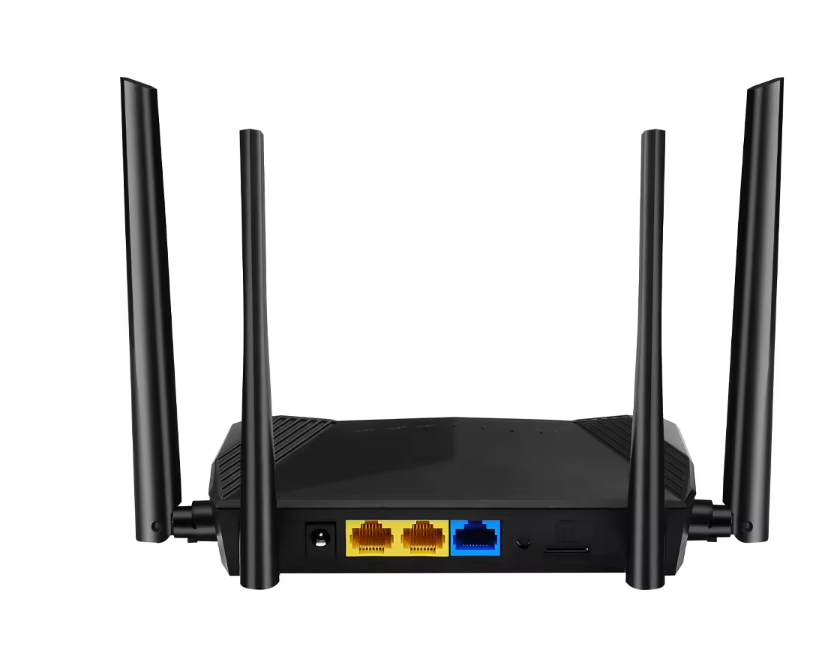
Before configuring routing policies or traffic diversion rules, administrators must first enter the router’s management console. Access methods, authentication standards, and network parameters vary by device model. The structured reference below summarizes common access methods, key parameters, and operational considerations when logging into a Modem Router.
| Access Method | Typical Gateway Address Range | Practical Application | Technical Parameters | Operational Notes |
|---|---|---|---|---|
| Local Web Management Interface | 192.168.1.1 / 192.168.0.1 | Standard configuration portal used in most home and SMB routers | Private IPv4 addressing defined in RFC1918; LAN subnet often 255.255.255.0 | Requires a device connected to the same LAN as the router |
| Secure Web Management Interface | Same gateway address with encryption enabled | Used for encrypted administrative access in business environments | HTTPS uses TCP port 443 with TLS encryption | Recommended when administrators access the router over wireless networks |
| Default Gateway Discovery | Typically within 192.168.x.x, 10.x.x.x, or 172.16–31.x.x | Identify the router management address through device network settings | Private network ranges defined by RFC1918 | Useful when the router uses a custom LAN gateway address |
| Cloud or Controller-Based Management | Vendor-managed remote dashboard | Centralized management for multiple routers in distributed networks | Communication usually occurs through HTTPS (TCP 443) | Allows administrators to manage routers across different sites |
| Local Network Status Interface | Router system dashboard after login | Displays connected devices, routing table, and bandwidth usage | Interface refresh intervals often 1–5 seconds for traffic monitoring | Used to verify routing rules and device connections before configuration |
| Administrative Authentication | Username and password authentication | Protects access to the router control panel | Password length commonly 8–32 characters depending on firmware policy | Change default credentials immediately to prevent unauthorized access |
Tip:Before accessing the management console, confirm that your computer or mobile device is connected to the same local network as the Modem Router. Direct LAN or Wi-Fi connections ensure reliable access to the router’s gateway interface.
Successful traffic diversion requires clear identification of network endpoints. Each device connected to a Modem Router has an IP address or MAC address. Administrators often assign static IP addresses to important devices such as servers or workstations. Static addressing ensures routing rules always apply correctly. In addition, administrators must understand traffic types. For instance, VoIP services use specific ports and protocols, while streaming services use others. Recognizing these characteristics allows the router to match packets accurately when applying diversion policies.
Router firmware plays a major role in advanced routing capabilities. Many smart Modem Router devices receive frequent firmware updates that improve performance and add new features. Updating firmware ensures that traffic steering, QoS controls, and routing modules function correctly. After updating, administrators should enable advanced networking options in the settings menu. These features may include policy routing, application recognition, or WAN balancing. Enabling them unlocks the full traffic management capabilities of the router and prepares the network for precise diversion rules.
Once inside the router dashboard, the next step is finding the correct configuration panel. Most Modem Router interfaces organize advanced settings under categories like “Traffic Management,” “QoS,” or “Advanced Routing.” These sections control how the router processes and prioritizes packets. Administrators open the relevant menu and review available options. Many routers display graphical dashboards showing connected devices and bandwidth usage. Within these tools, traffic rules can be created and edited. Locating the correct settings panel ensures administrators can apply routing policies effectively.
After opening the routing panel, administrators define traffic matching rules. These rules specify which packets the router should redirect. A Modem Router can evaluate several criteria, including source IP address, destination address, port number, and protocol. Some routers also allow identification by application signature or device name. Once the rule conditions match a packet, the router processes the packet according to the defined policy. Accurate rule definitions ensure only the intended traffic is redirected. This step forms the core logic of traffic diversion.
The final configuration step assigns the selected traffic to a specific route. Administrators choose the destination interface or gateway through which the traffic should pass. A Modem Router may provide several options such as VLAN networks, VPN tunnels, or secondary WAN connections. When the router detects matching packets, it forwards them along the assigned path instead of the default route. This creates an optimized data flow for certain applications or devices. Proper route assignment ensures network resources are used efficiently.
Quality of Service is one of the most common methods for traffic diversion. QoS allows a Modem Router to assign priority levels to devices. High-priority devices receive bandwidth first when network congestion occurs. For example, work laptops or gaming PCs may receive top priority. The router then allocates available bandwidth accordingly. This method prevents important traffic from experiencing delays. Over time, QoS policies help maintain consistent network performance even when many devices share the same connection.
Modern routers recognize specific application traffic patterns. A Modem Router can identify services such as VoIP calls, streaming platforms, or cloud collaboration tools. Administrators create rules that assign higher priority to these services. When packets related to those applications arrive, the router processes them ahead of less important traffic. This ensures smoother communication and fewer interruptions. Application-based prioritization is especially valuable for remote work environments where real-time communication is essential.
Beyond prioritization, QoS also controls bandwidth allocation. A Modem Router can reserve specific bandwidth percentages for different devices or applications. For instance, a company might allocate guaranteed bandwidth for cloud backups during off-peak hours. Meanwhile, general browsing traffic uses the remaining bandwidth. This structured distribution prevents network overload and improves efficiency. Administrators can adjust these allocations as traffic patterns change.
Policy-Based Routing expands router control beyond traditional routing tables. Normally, a router forwards packets according to its default route selection. With PBR, a Modem Router evaluates predefined policies before making routing decisions. These policies match packets using parameters like IP addresses or protocols. If a match occurs, the router forwards the packet to a specific gateway instead of the default one. This approach provides powerful traffic control for advanced networks.
Administrators often use PBR to create device-specific routing policies. For example, all traffic from a development server may route through a secure VPN gateway. A Modem Router checks the source IP address of incoming packets and applies the rule automatically. Organizations may also redirect entire network segments to different gateways. This technique supports departmental networks or secure remote access environments. Carefully structured policies ensure reliable traffic separation.
Policy-based routing enables many advanced use cases. Corporate networks often route employee traffic through encrypted VPN tunnels. Meanwhile, guest network traffic uses standard internet routes. A Modem Router can also redirect streaming traffic through a faster ISP connection to reduce congestion. Cloud services may route through optimized links for faster data transfer. These strategies improve both performance and security while maintaining centralized network control.
Some smart routers support multiple internet connections. A Modem Router with multi-WAN capability can distribute traffic across several ISPs. This process is called traffic steering or load balancing. The router evaluates each connection and assigns traffic according to defined rules. For instance, heavy download traffic might use one connection while business applications use another. This distribution prevents congestion and ensures stable connectivity.
Application-level redirection usually relies on deep packet inspection (DPI) or Layer-7 classification. A Modem Router analyzes protocol signatures, domain names, and port behavior to identify specific services such as streaming, cloud collaboration, or VoIP platforms. Administrators can then create policies that route these applications through dedicated WAN links, VPN tunnels, or secure gateways. This method improves service reliability and reduces congestion on primary network paths. It is particularly useful in enterprise networks where SaaS platforms and real-time communication tools require predictable bandwidth and low latency.
VRF enables a router to maintain multiple independent routing tables within a single hardware platform. Each VRF instance processes traffic separately, allowing departments or service environments to operate as isolated networks. A Modem Router configured with VRF can segment production systems, guest networks, and management traffic while still sharing the same physical infrastructure. Administrators typically assign interfaces and static routes to specific VRF instances to control traffic flow. This architecture enhances network organization and allows more precise routing policies for different operational environments.
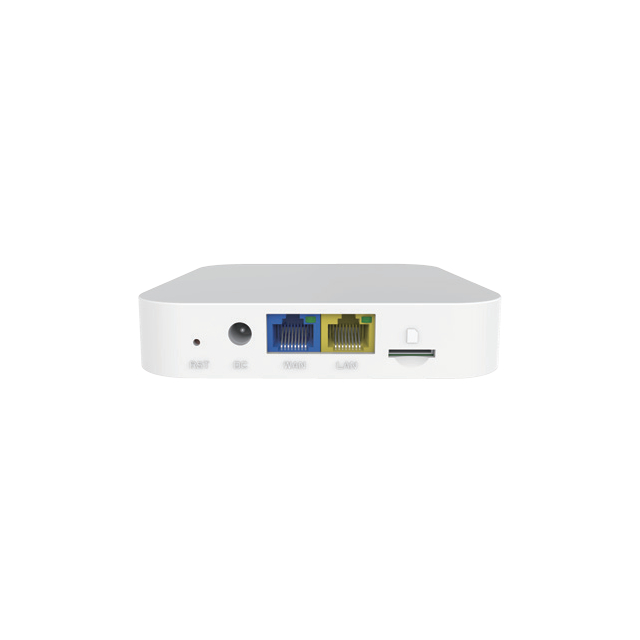
Administrators should also verify routing behavior using command-line diagnostics or router status tools. Many advanced Modem Router systems provide commands such as show ip route, show policy-route, or similar routing tables in the management console. These outputs reveal the active next-hop gateway, route priority, and interface binding. Traffic logs can further confirm whether packets match the defined routing policies. Reviewing timestamps, source addresses, and interface identifiers helps administrators detect abnormal paths or unexpected traffic redirection. Regular verification ensures that routing policies remain accurate as the network topology evolves.
Beyond basic metrics, administrators should track long-term performance indicators to validate routing efficiency. Monitoring tools in a Modem Router often provide statistics for throughput, jitter, and connection stability across different interfaces. Consistent latency below 20–30 ms within local networks usually indicates stable routing performance. Administrators may also compare traffic distribution across WAN interfaces to ensure load-balancing policies operate correctly. Continuous performance analysis allows early detection of congestion patterns and helps maintain reliable network service for critical applications.
Network traffic patterns evolve as new devices, services, and workloads appear. Administrators should periodically review routing policies on a Modem Router to keep traffic diversion effective. The structured guide below summarizes common optimization adjustments, their practical applications, and key parameters used in real network environments.
| Optimization Area | Practical Application | Configuration Method | Typical Technical Parameters | Notes and Best Practices |
|---|---|---|---|---|
| QoS Priority Adjustment | Ensure real-time services like VoIP or video meetings receive stable bandwidth | Modify device or application priority in QoS settings | VoIP latency target: <150 ms; Jitter: <30 ms; Packet loss: <1% (ITU-T G.114 guidance) | Assign highest priority only to critical services to prevent bandwidth starvation for other traffic |
| Bandwidth Allocation Review | Allocate guaranteed bandwidth to critical systems such as cloud backup or ERP traffic | Update minimum or maximum bandwidth limits in QoS policies | Typical broadband allocation example: 10–30% reserved bandwidth for business apps; Router throughput often 1–10 Gbps depending on model | Monitor peak traffic periods before changing allocations to avoid over-reservation |
| Gateway or WAN Route Update | Redirect certain traffic through faster or less congested ISP links | Modify routing rules or Policy-Based Routing (PBR) entries | Multi-WAN routers commonly support 2–4 WAN interfaces; Failover switching time typically <1 second | Verify DNS resolution and gateway health to ensure routing changes apply correctly |
| Device-Based Routing Optimization | Separate traffic from departments, servers, or IoT devices | Use static IP assignments and apply routing policies by IP or MAC address | Private LAN ranges typically 192.168.x.x, 10.x.x.x, or 172.16–31.x.x (RFC1918) | Maintain consistent IP addressing to avoid rule mismatch after DHCP renewals |
| Application-Level Routing Adjustment | Improve performance for streaming, SaaS, or CDN services | Configure application recognition or port-based rules | Common ports: 443 (HTTPS), 5060 (SIP), 1935 (RTMP streaming) | Monitor application behavior, since some modern services dynamically change ports |
| Load Balancing Tuning | Balance heavy traffic across multiple WAN links | Adjust traffic distribution weights in load-balancing settings | Example weight ratio: 1:1 for equal bandwidth ISPs; 1:2 when one link provides double capacity | Ensure both links have stable latency; uneven latency can impact session persistence |
Tip: Review router analytics dashboards weekly or monthly. Traffic reports showing bandwidth peaks, latency trends, and application usage help identify which diversion rules should be updated for optimal network performance.
Traffic diversion is essential for modern network control. A smart Modem Router directs data flows using QoS, policy-based routing, and advanced routing strategies. These tools optimize bandwidth and prioritize critical applications, improving network stability and performance. Reliable monitoring and adjustments keep routing efficient as traffic grows. Zhengzhou LEHENG Electronic Technology Co., Ltd. provides advanced router solutions with intelligent traffic management features, helping businesses build stable, efficient, and scalable network environments.
A: It redirects selected data through specific paths using rules in a Modem Router.
A: Access the Modem Router dashboard and create QoS or routing rules.
A: A Modem Router prioritizes key apps and balances bandwidth usage.
A: Yes. A Modem Router can use multi-WAN or policy routing rules.
A: Check device IPs, routing tables, and logs on the Modem Router.


 External GPS Antenna
  Ceramic antenna
  Internal GPS Antenna
  Surveying Antenna
 Magnet Antenna
  Patch Antenna
  Rubber Antenna
  Screw Antenna
  Spring Antenna
  Other Indoor Coverage Antenna&outdoor Wlan Antenna
 2.4G Antenna
  5.8G Antenna

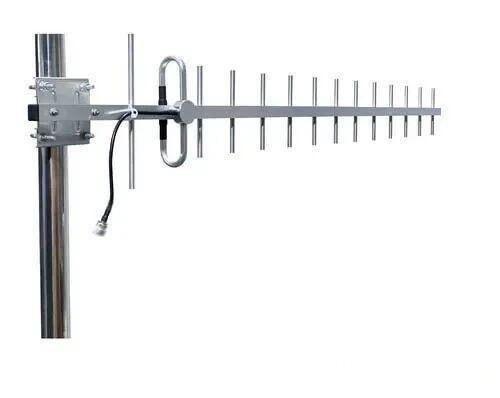 Outdoor Yagi TV Antenna


 Ceiling mount antenna
  Wall mount panel antenna
 Fiberglass Antenna
  Panel Antenna
  Parabolic Antenna
  Yagi Antenna


