

Views: 0 Author: Site Editor Publish Time: 2026-09-03 Origin: Site


Since Wi-Fi 6E and Wi-Fi 7 both use the 6 GHz band, can you just reuse your existing 6E antennas?
In real-world deployments, the answer is usually no. Wi-Fi 7 pushes wider channels and faster data rates that easily overpower older antenna designs—causing signal drops and forcing your expensive AP to run at reduced speeds.
To get the actual Wi-Fi 7 performance you paid for, your antennas need an upgrade too. Here is what actually changes at the antenna level and how to choose the right hardware.
Unlike Wi-Fi 6E, which primarily introduced the 6 GHz spectrum as an additional band, Wi-Fi 7 delivers a monumental leap in physical layer performance: channel bandwidth doubles from 160 MHz to 320 MHz, modulation upgrades from 1024-QAM to 4096-QAM (4K-QAM), spatial streams double from 8x8 to 16x16 MIMO, and Multi-Link Operation (MLO) is introduced. Together, these enhancements push theoretical peak speeds from 9.6 Gbps up to 46.1 Gbps.
The performance impact of these specification upgrades translates directly into measurable operational gains. Doubling the maximum channel bandwidth from 160 MHz to 320 MHz in the 6 GHz band directly doubles instantaneous data throughput per stream, providing the ultra-wide pipe required for uncompressed 8K video streaming and real-time industrial automation. Meanwhile, upgrading modulation density from 1024-QAM to 4096-QAM increases peak PHY transmission efficiency by 20% at close range by packing 12 bits per symbol instead of 10, significantly boosting burst speed for dense traffic.
Furthermore, expanding spatial multiplexing capacity from 8x8 to 16x16 MIMO doubles concurrent device capacity and overall network throughput, which is essential for maintaining stable speeds across high-density enterprise access points. Finally, multi-band utilization undergoes a fundamental shift. Where Wi-Fi 6E forces devices to switch between bands sequentially, Wi-Fi 7's MLO aggregates 5 GHz and 6 GHz simultaneously, dropping connection latency down to sub-millisecond levels and eliminating frame loss during movement.
Feature | Wi-Fi 6E | Wi-Fi 7 | Impact on Antenna Design |
Channel Width | Up to 160 MHz | Up to 320 MHz | Requires wider bandwidth support |
Modulation | 1024-QAM | 4096-QAM (4K-QAM) | Requires better signal quality and efficiency |
Operation Mode | Single-link operation | Multi-Link Operation (MLO) | Requires better multi-band isolation |
Spatial Streams | Up to 8 streams | Up to 16 streams | Increases multi-antenna design complexity |
Wi-Fi 7 achieves higher performance through technologies such as 320 MHz channels, 16 spatial streams, Multi-Link Operation (MLO), and 4096-QAM. However, these advancements also introduce new RF challenges for antenna systems, mainly in bandwidth stability, isolation performance, interference control, and signal accuracy.
Wi-Fi 7 expands channel bandwidth to 320 MHz within the 5.925–7.125 GHz 6 GHz band, nearly doubling the maximum bandwidth compared with previous Wi-Fi generations.
For antennas, the key challenge is maintaining stable:
· Gain
· Efficiency
· Impedance matching
across this wider frequency range.
High-performance antenna designs typically control gain variation within approximately ±1.5 dB to ensure consistent link quality.
If significant gain loss occurs at the channel edge, the reduced link margin may force the system to select lower MCS (Modulation and Coding Scheme) levels, limiting real-world throughput.
Wi-Fi 7 supports up to 16 spatial streams, requiring more antenna elements to be integrated into compact devices.
At 6 GHz, the wavelength is approximately 46 mm, with half-wavelength spacing (λ/2) around 23 mm, making antenna placement a critical design challenge.
When antenna elements are placed too closely, mutual coupling can reduce MIMO efficiency and affect radiation performance.
Therefore, Wi-Fi 7 antenna designs typically achieve more than 20 dB port isolation through optimized antenna spacing, polarization diversity, and decoupling structures.
Wi-Fi 7 introduces Multi-Link Operation (MLO), allowing devices to operate across multiple bands, such as 5 GHz and 6 GHz simultaneously, to improve throughput and connection reliability.
However, insufficient antenna isolation (typically below around 20 dB) can increase signal leakage and cross-band interference, reducing receiver sensitivity.
To maintain stable MLO performance, antenna systems require:
· Optimized antenna placement
· Improved isolation between RF paths
· Proper integration with RF front-end components
Wi-Fi 7 introduces 4096-QAM, enabling higher data rates but also requiring cleaner and more accurate RF signals.
With EVM requirements around -38 dB, even small RF imperfections, including impedance mismatch, connector loss, and signal reflection, can affect modulation stability.
Therefore, Wi-Fi 7 antennas require:
· Accurate 50 Ω impedance matching
· Low-loss connection structures
· Stable VSWR performance
The 6 GHz band gives Wi-Fi 7 massive bandwidth, but high-frequency signals naturaly struggle to pass through walls and solid objects. To ensure seamless indoor coverage without dead zones, network planners rely on four practical antenna deployment strategies:
· Offset High-Frequency Distance Loss: Signals at 6 GHz drop roughly 2–3 dB more energy than 5 GHz over the same space. Using a slightly higher gain (5 dBi) on the 6 GHz antenna elements helps push the signal farther, keeping coverage balanced across all three bands.
· Bypass Wall Obstacles with Wider Vertical Angles: Brick walls and drywalls absorb much more 6 GHz signal strength. Antennas engineered with wider vertical beam angles send more signal off ceilings and floors, using bounced paths to reach users behind office partitions.
· Trade Single-AP Power for Micro-Coverage: Trying to blast 6 GHz through multiple rooms with one central router rarely works. Deploying multiple ceiling-mounted APs with high-isolation antennas (>20 dB) creates clean overlapping zones that maintain high speeds everywhere.
· Use 5 GHz as a Safety Net via MLO: When a user moves too far from an AP and 6 GHz fades, Wi-Fi 7's MLO feature instantly shifts the device to 5 GHz. High-performance tri-band antennas ensure this transition happens in milliseconds without dropping live video or calls.
Wi-Fi 7's peak performance depends not just on the chipset, but directly on the matching quality of the antenna system. Choosing the wrong antenna will limit even the most advanced enterprise AP to last-generation real-world throughput. For engineering and procurement teams, antenna selection follows a straightforward evaluation logic.
First is verifying full-spectrum compatibility: the antenna must natively support the entire 2.4 GHz to 6 GHz range (2400–7125 MHz) to truly unlock the benefits of ultra-wide 320 MHz channels. Building on this, port-to-port isolation between 5 GHz and 6 GHz elements is critical; maintaining isolation above 20 dB prevents internal cross-talk during concurrent Multi-Link Operation (MLO) data transmission.
To avoid sudden speed drops at band edges, the antenna must also maintain consistent in-band gain flatness across the broad 1.2 GHz spectrum. Furthermore, 4K-QAM modulation is extremely sensitive to signal purity, requiring a strict VSWR below 2.0 to minimize reflections from impedance mismatches. Finally, adopting an integrated physical architecture—such as a 4-port RP-SMA layout—simplifies internal RF board routing and noticeably shortens hardware development cycles.
As Wi-Fi 7 expands across enterprise and industrial environments, antenna selection directly dictates real-world deployment success. Utilizing a robust tri-band platform like the GLQ2471MOH eliminates hardware bottlenecks at the source, ensuring next-generation wireless devices achieve their true theoretical limits.

Integrating 2.4 GHz, 5 GHz, and full 6 GHz coverage into a single antenna platform, the GLQ2471MOH provides a practical solution for Wi-Fi 6E/7 access points and enterprise WLAN systems requiring multi-band connectivity.
· Wideband Tri-Band Coverage: Supports 2400–2500 MHz, 5150–5950 MHz, and 6000–7125 MHz, covering the major WLAN frequency ranges used in Wi-Fi 6E and Wi-Fi 7 applications.
· Multi-Port Design for RF Isolation: The 4-port RP-SMA configuration with up to 20 dB isolation in 5 GHz and 6 GHz bands helps minimize coupling between antenna paths.
· Consistent RF Characteristics: With 4/4/5 dBi gain, ≤2.0 VSWR, and 50 Ω impedance, the antenna maintains stable electrical performance across multiple WLAN bands.

The GLVH2471G10BKRY directional panel antenna combines tri-band coverage, high gain, dual polarization, and high isolation to improve signal focus and multi-antenna performance in outdoor and high-density WLAN environments.
· Directional High-Gain Coverage: Provides 9.5/11/12 dBi gain across 2.4 GHz, 5 GHz, and 6 GHz bands, concentrating RF energy toward target areas to improve point-to-point links.
· Enhanced MIMO Performance with Dual Polarization: Supports vertical and horizontal polarization with ≥30 dB isolation, helping reduce interference between RF paths.
· Designed for Outdoor WLAN Deployment: Featuring 4 × N male connectors, 50 Ω impedance, and a rugged ABS radome with -40°C to +60°C operating temperature.
Key Feature | GLQ2471MOH | GLVH2471G10BKRY |
Antenna Type | Omnidirectional | Directional Panel |
Gain | 4 / 4 / 5 dBi | 9.5 / 11 / 12 dBi |
Polarization | Vertical | Dual Polarization |
Isolation | ≥20 dB (5/6 GHz) | ≥30 dB |
Coverage | Broad-area coverage | Targeted / extended coverage |
Typical Deployment | Indoor WLAN / APs | Outdoor / Point-to-Point |
Why is Wi-Fi 7 6 GHz coverage weaker than 5 GHz?
The 6 GHz band has higher free-space path loss than 5 GHz at the same distance and generally experiences greater attenuation through walls and other obstacles. As a result, 6 GHz coverage often requires closer AP placement or antennas with more suitable gain and radiation patterns.
How can I improve 6 GHz Wi-Fi 7 range?
Start with AP placement and antenna selection. For broad indoor coverage, use an appropriately positioned omnidirectional antenna. For targeted or extended coverage, a higher-gain directional antenna can concentrate RF energy toward the required area.
Is a higher-gain antenna better for Wi-Fi 7?
Not necessarily. Higher gain usually provides more focused coverage, but it is not automatically better for every AP. Antenna gain should be selected together with the required coverage area, beamwidth, mounting position, and deployment environment.
Why do I need more APs for full 6 GHz coverage?
Because 6 GHz generally provides less wall penetration and shorter practical coverage than lower-frequency bands. Increasing AP density can reduce the distance between the AP and clients, which helps maintain stronger 6 GHz signal levels throughout the coverage area. Real deployments should be validated with a site survey rather than a fixed AP-per-area rule.
Looking for a Wi-Fi 7 antenna for your next WLAN project? Asialeren offers tri-band omnidirectional and high-gain directional antennas for Wi-Fi 6E/7 applications, with customizable options to match your deployment requirements.


 External GPS Antenna
  Ceramic antenna
  Internal GPS Antenna
  Surveying Antenna
 Magnet Antenna
  Patch Antenna
  Rubber Antenna
  Screw Antenna
  Spring Antenna
  Other Indoor Coverage Antenna&outdoor Wlan Antenna
 2.4G Antenna
  5.8G Antenna

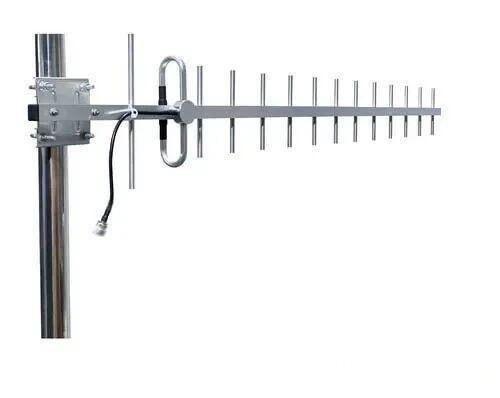 Outdoor Yagi TV Antenna


 Ceiling mount antenna
  Wall mount panel antenna
 Fiberglass Antenna
  Panel Antenna
  Parabolic Antenna
  Yagi Antenna


