

Views: 0 Author: Site Editor Publish Time: 2026-02-12 Origin: Site


GPS antennas are crucial for reliable navigation in vehicles, Anti jamming antennas, and tracking systems, but they often face issues like signal loss or poor accuracy. Understanding common problems and fixes can save time and costs for users in industries like logistics or construction.
GPS antennas receive signals from satellites, but obstructions, damage, or poor installation disrupt performance. In urban areas or tunnels, signals weaken due to buildings blocking sky view. Low-quality antennas exacerbate this, leading to inaccurate positioning.
Hardware faults, such as cracked elements or bent connectors, also cause failures. Environmental factors like heavy rain or metal structures near the antenna reduce reception. For AsiaLeren's GPS/GNSS models, proper mounting ensures multi-band support for L1/L2 frequencies, minimizing these risks.
The most frequent issue is weak satellite lock, often from antenna misalignment or indoor placement. Users report devices failing in garages or under foliage, as signals can't penetrate.
Fixes:
Reposition outdoors with a clear sky view; avoid metal roofs or vehicles.
Use external antennas like AsiaLeren's active GNSS models for better gain.
Check cable length—exceed 30m without amplifiers, and signals drop.
Test with a multimeter: continuity below 50 ohms indicates a short; open circuits mean breaks. In tests, moving units to dashboards boosted accuracy by 50%.
GPS drift or "bounce" shows false movement on stationary objects. Causes include multipath interference from reflections off buildings or poor antenna quality.
Firmware bugs or outdated software compound this, miscalculating positions. Cheap trackers suffer most, reporting extra distance traveled.
Fixes:
Update firmware via manufacturer apps for better algorithms.
Calibrate settings: reduce update frequency to save battery and stabilize reads.
Install high-gain antennas; AsiaLeren's options support RTK for centimeter accuracy.
Cracks, water ingress, or bent pins from rough handling degrade performance. Cables crush easily during installs, breaking inner conductors.
Failed amplifiers inside active antennas can oscillate, jamming nearby units within 1-2 meters.
Fixes:
Inspect visually: replace if cracks or corrosion appear.
Maintain 2m separation between antennas; use surge protectors.
For repairs, solder breaks or swap cables—ensure RG-58 type for low loss.
AsiaLeren GNSS antennas feature rugged housings for harsh environments.
Loose connectors or corroded pins prevent power to active antennas. Battery-powered GPS units drain fast if antennas draw excess current from faults.
Fixes:
Clean contacts with isopropyl alcohol; secure SMA/N-type connectors.
Verify voltage: 3-5V DC for most active antennas.
Reset device to factory settings after fixes.
Electromagnetic noise from electronics or faulty antennas transmitting junk signals blocks reception. WAAS antennas with high gain fail spectacularly here.
Fixes:
Turn off nearby GPS units one-by-one to isolate.
Add filters or low-noise amplifiers; orient surge suppressors correctly.
Choose multi-frequency GNSS like AsiaLeren's for interference rejection.
Follow these to pinpoint issues:
Power off, disconnect, and inspect antenna/cable for damage.
Multimeter check: DC resistance ~infinite open, low short; RF test with signal generator if available.
Reconnect, power on, monitor signal strength (aim for 4+ satellites).
Test in open area; log NMEA data for satellite count.
Update firmware and reset if needed.
Professionals use spectrum analyzers for deep faults, but 80% resolve with basics.
Mount antennas high with skyward view; use magnetic or pole mounts. Seal cables against weather; limit bends to 5cm radius. Opt for reputable suppliers—AsiaLeren offers IP67-rated GNSS antennas for reliability.
Regular checks every 6 months extend life; firmware updates fix software glitches.
If fixes fail, check warranty—Garmin covers oscillating antennas. Budget $20-100 for quality replacements; AsiaLeren's external GNSS starts affordably.
Contact manufacturers for persistent issues post-troubleshooting.
Switch to active, multi-band GNSS antennas for 10x better performance in tough spots. Integrate with telematics for fleet tracking, reducing downtime.
Ready to optimize?Explore AsiaLeren's GPS/GNSSlineup for robust solutions tailored to industrial needs.
What Causes Weak GPS Signals?
Weak signals stem from obstructions like buildings, trees, or metal roofs blocking satellite views. Indoor use or long cables without amplifiers drop reception further, as GPS signals are faint (around -130 dBm). Solutions include mounting outdoors with a clear sky line and using active antennas for gain.
Active vs. Passive Antennas: Which to Choose?
Active antennas amplify signals via built-in LNAs, ideal for long cables or weak areas, but need 3-5V power from receivers. Passive ones suit short runs and simple setups without power needs. For AsiaLeren GNSS models, active versions excel in multi-band L1/L2 tracking for precision tasks.
How Do I Test a GPS Antenna?
Use a multimeter for continuity: check DC resistance (infinite for opens, low for shorts) and inspect cables for breaks. Monitor satellite count via device apps—aim for 4+ locks in open areas. RF signal generators confirm gain, but basic visual checks catch 80% of faults.
Can I Extend Antenna Cables?
Limit passive cables to 10-15 feet; active ones handle 50-100 feet thanks to amplification. Use low-loss RG-58 coax and avoid sharp bends. Exceeding specs without boosters causes 20-30 dB loss, mimicking no-signal issues.
Why Does GPS Show Inaccurate Positions?
Multipath reflections from urban structures or firmware glitches cause drift. Cheap antennas lack filtering, worsening errors to 10-50m. Update software, calibrate, or upgrade to RTK-capable GNSS like AsiaLeren's for cm-level accuracy.
Are GPS Antennas Omnidirectional?
Yes, most are, receiving signals from all directions for 360° coverage. Patch types offer higher gain upward; helix designs balance isolation. Position with the flat side skyward for optimal satellite locks.
How to Fix Interference Problems?
EMI from electronics or nearby faulty antennas disrupts locks. Isolate by powering off suspects, add filters, or separate units 2m apart. Multi-frequency GNSS rejects noise better than single-band GPS.
Do I Need an External Antenna?
Internal ones suffice for clear views, but externals boost older receivers or obstructed spots by 2-5x. Essential for fleet tracking or Anti jamming antennas; AsiaLeren's rugged externals fit industrial use.
When Should I Replace My Antenna?
After physical damage, corrosion, or failed fixes like no satellite locks outdoors. Lifespan: 2-5 years in harsh conditions; check warranties. Opt for quality over cheap fixes to avoid repeat downtime.


 External GPS Antenna
  Ceramic antenna
  Internal GPS Antenna
  Surveying Antenna
 Magnet Antenna
  Patch Antenna
  Rubber Antenna
  Screw Antenna
  Spring Antenna
  Other Indoor Coverage Antenna&outdoor Wlan Antenna
 2.4G Antenna
  5.8G Antenna

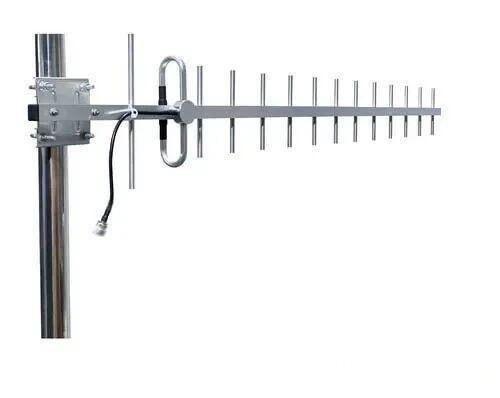 Outdoor Yagi TV Antenna


 Ceiling mount antenna
  Wall mount panel antenna
 Fiberglass Antenna
  Panel Antenna
  Parabolic Antenna
  Yagi Antenna


